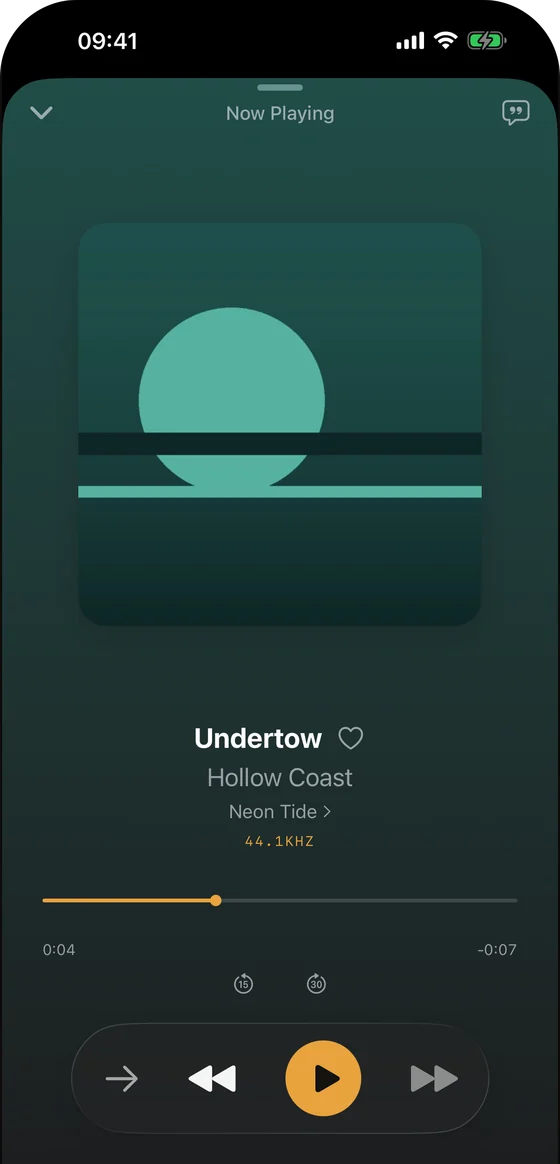
iPhone Now Playing
A genuine Trove iPhone playback screen with sample music; it does not depict a NAS connection.
Press and media
A small, source-backed kit for writers covering local music, Mac and iPhone apps, and NAS listening. Try the app and verify the workflow yourself.
Trove Player is a native, local-first music player for iPhone, iPad, Mac and Apple Watch. It plays files you own, including FLAC and DSD, with gapless playback, lyrics and library tools. Trove Pro adds direct SMB and WebDAV browsing for music on a NAS or server. It is made for collectors who want their own files on their own devices, without a streaming subscription or a Trove account.
Trove is built independently by Chongqing Mengxiande Technology Co., Ltd. These materials are for Trove press coverage; they are not a review, award, user-count claim or third-party endorsement.
The Pro purchase shares features, not audio files. Trove's Library Sync is a manual export/import file for hand-built playlists, favourites and ratings; it is not automatic music sync. See the FAQ for the distinctions.
| Scope | What the material supports |
|---|---|
| Product facts | Local playback and ordinary M3U import are free. SMB/WebDAV sources and Watch transfer require Pro. Check the App Store for current regional prices and availability. |
| Implementation checked | The NAS and CarPlay steps were checked against Trove 2.1 source: explicit downloads are separate from remote indexing, and CarPlay selects songs from the iPhone library. The existing M3U guidance was checked against 2.0 source and matches playlists to existing local tracks. Source inspection is not a completed runtime test. |
| Synthetic sample and protocol check | The NAS guide links a generated 4-second FLAC tone and records a local WebDAV transport check. These are file and protocol evidence, not proof of Trove or vehicle playback. |
| Runtime and physical evidence | Trove’s developer reports offline playback and seeking with TrueNAS over SMB on iPhone 15 Pro, iOS 27.0.1 and Trove 2.1; this text report has not been independently reproduced. Separately, a Trove 2.1 CarPlay simulator run verified two locally imported FLAC tracks, library browsing, selection, progress, pause/resume, Next and Up Next. Local copies played after an App restart and virtual-display reconnect with transfer closed. Recordings are video-only; audible output, the NAS download chain, physical vehicle/Watch checks and a fresh competitor migration remain unverified. The NAS guide includes genuine English-interface CarPlay captures and the test limits. |
These files come from the Trove app and its existing authorised product imagery, using sample music only. The SMB and WebDAV forms are empty simulator captures. They show the app interface, not a successful NAS test. You may download them for editorial coverage of Trove; please do not alter the UI or imply an endorsement by Apple or anyone else.
A genuine Trove iPhone playback screen with sample music; it does not depict a NAS connection.
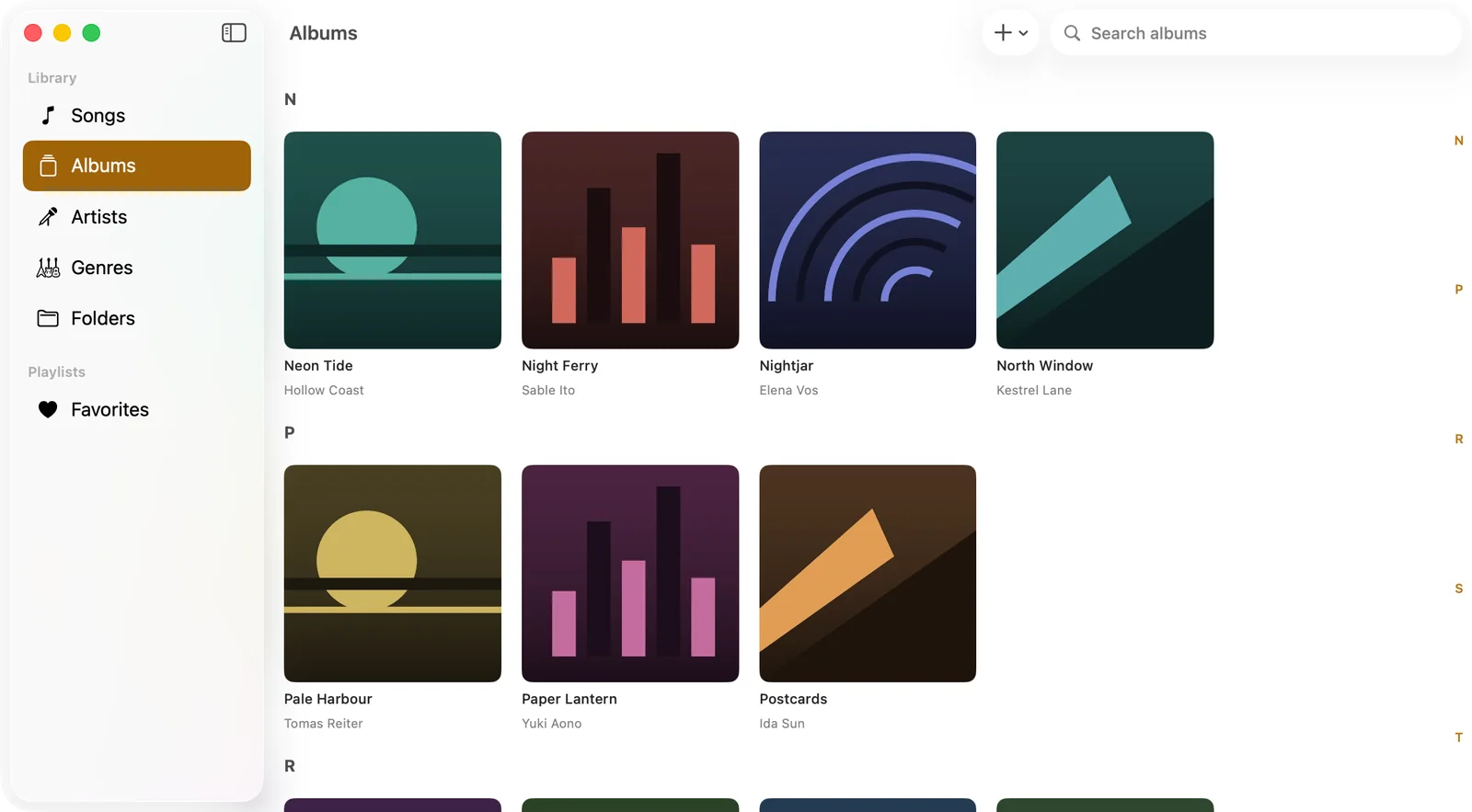
A genuine Trove Mac library screen with sample albums; it does not depict a NAS connection.
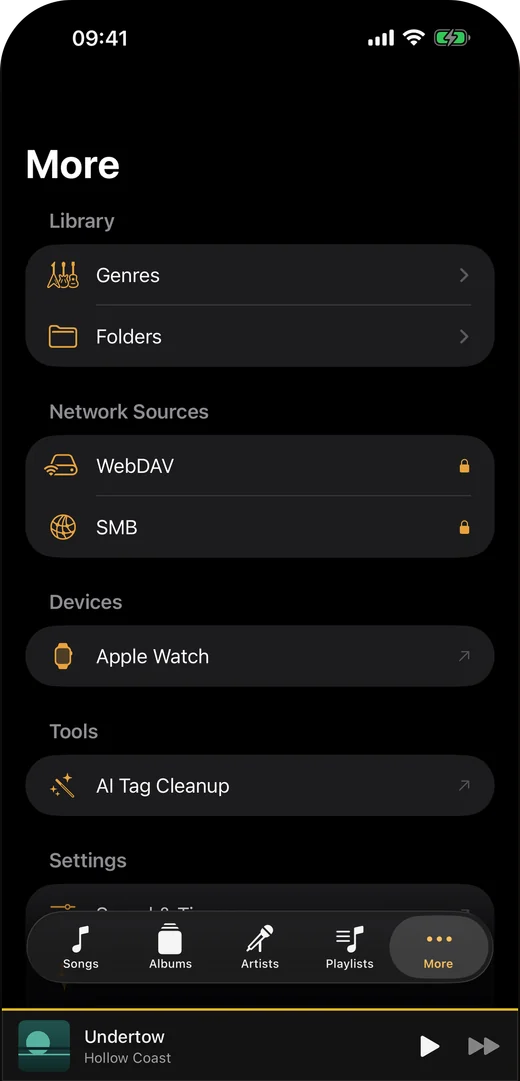
The actual More tab showing where to start a WebDAV or SMB setup. The padlocks show Pro gating, not a connected server.
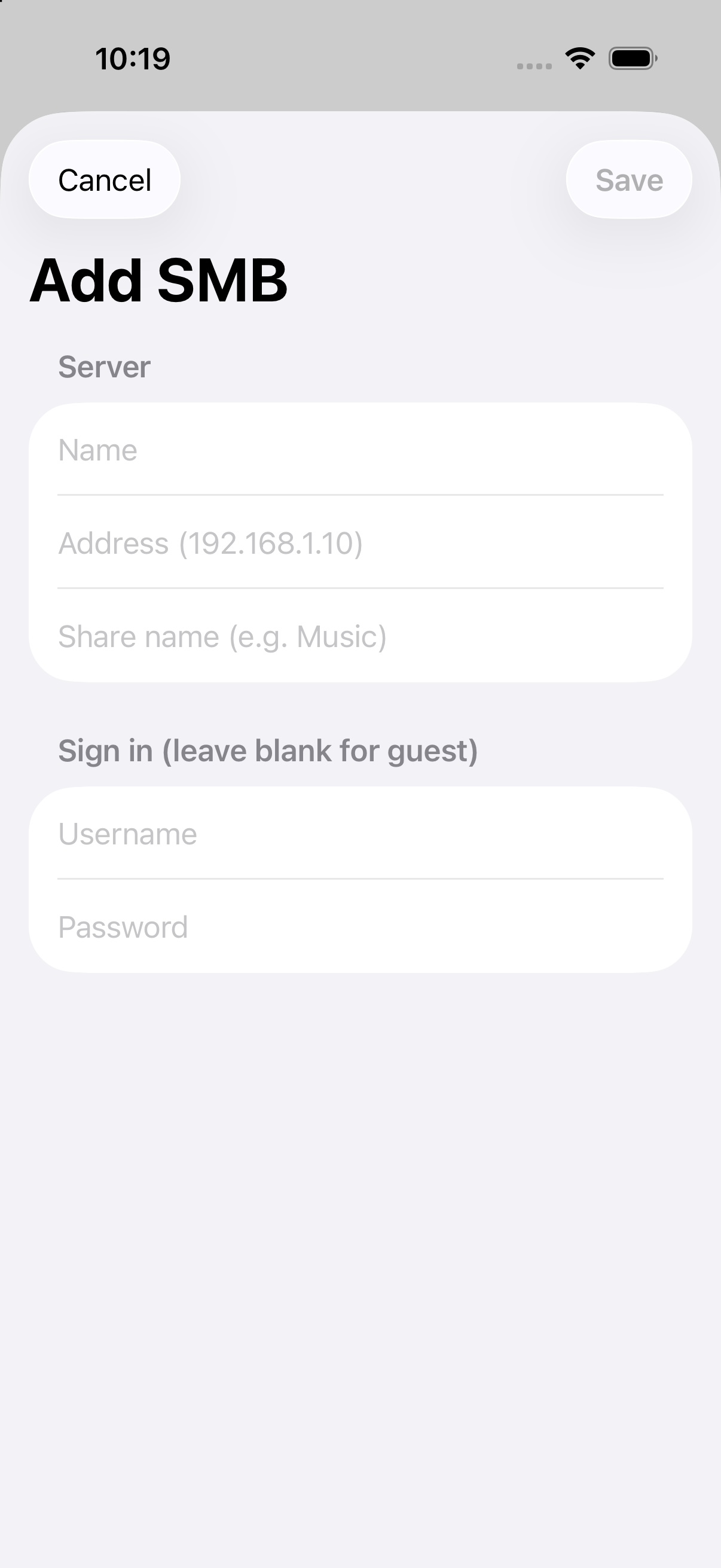
A genuine empty SMB setup form from Trove 1.6 in an iPhone simulator. No credentials were entered or connection tested.
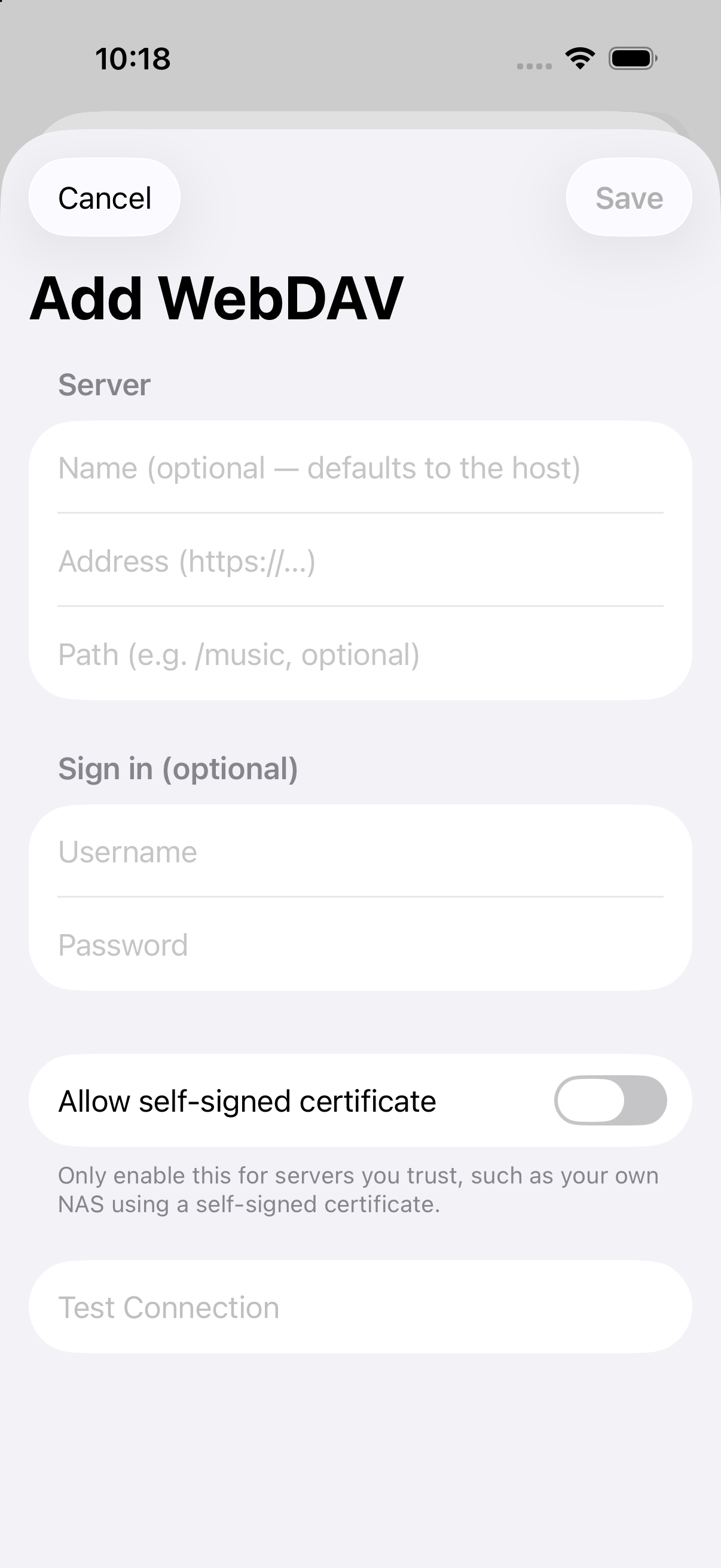
A genuine empty WebDAV setup form from Trove 1.6 in an iPhone simulator. Test Connection is disabled; no server was tested.

The official 1024 × 1024 Trove app icon from the app's asset catalog.
The website supports English, Spanish, Brazilian Portuguese and French. Localized product imagery includes the Trove 2.0 interface; the older empty NAS forms are labeled separately. Image captions state their source and limits, rather than promising every download shows the latest store version. Check the App Store for availability on your platform and in your region. Local playback is free; testing network sources requires Pro. For facts, image use or an interview, contact the official address below. We do not arrange paid reviews through this page.