Features
A local music player for iOS and Mac, feature by feature
Trove plays your local files on Mac, iPhone and iPad, and connects those devices to SMB/WebDAV NAS sources with Pro. Apple Watch plays transferred songs offline, not from the NAS.
Plays everything you own
Trove plays your files as they are — no re-encoding, no uploading, no library lock-in. Lossless and exotic formats included.
- FLAC, ALAC, WAV, AIFF, MP3 and AAC natively
- APE, OGG, OPUS, WMA, DSD, WavPack and more via built-in decoding
- Gapless playback, adjustable speed and a 10-band equalizer
- ReplayGain volume leveling, per track or per album
FLAC vs ALAC: which should you use? →How to play FLAC on iPhone — four ways →
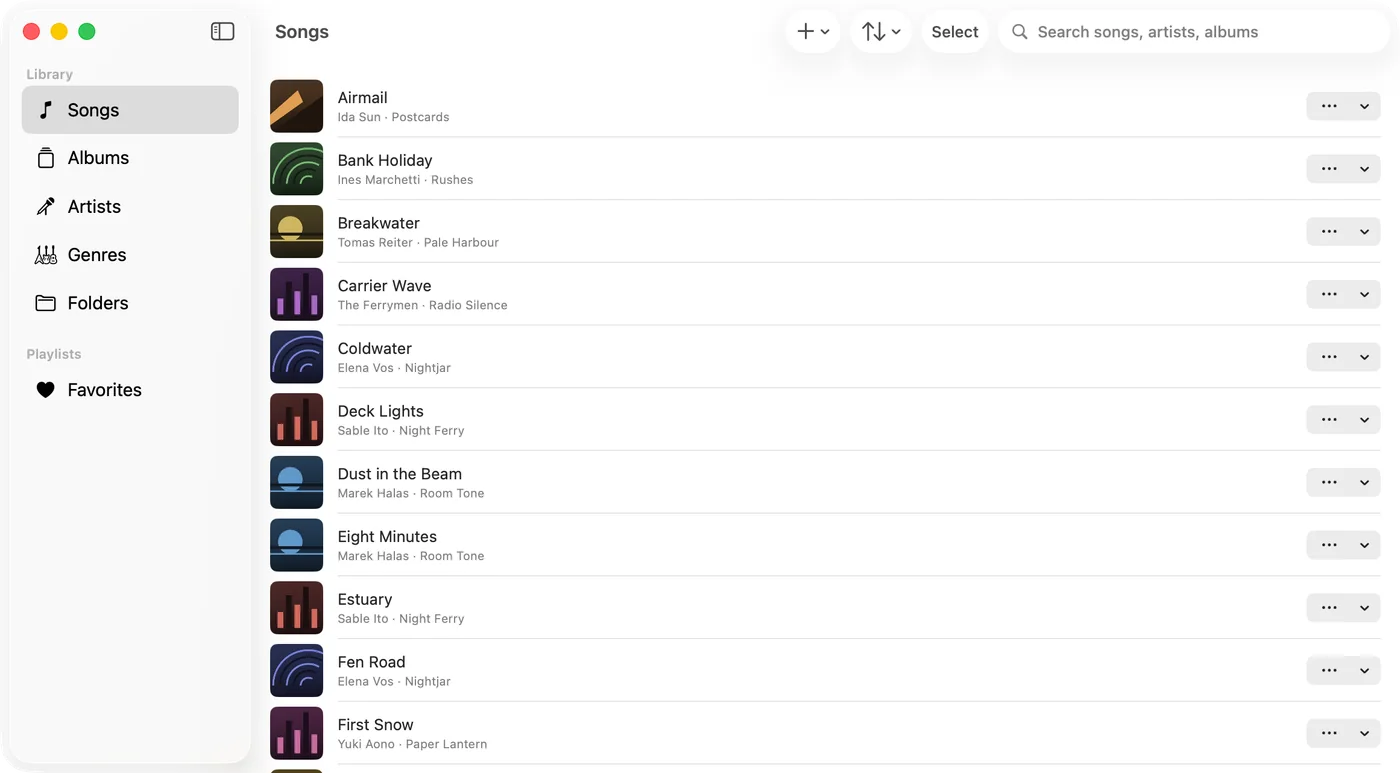
Your library, from anywhere
Keep music on your NAS, a server or your device — Trove connects to it directly. No cloud middleman, no account required.
- Play from WebDAV and SMB shares on your NAS, with downloads as neededPro
- Import over Wi-Fi, from a folder, or from the Files app
- Tags, artwork and lyrics are read straight from your files
- Missing lyrics or artwork? Search online and pick the match — nothing is looked up until you ask
WebDAV music player for iPhone and Mac →How to play music from a NAS on iPhone →
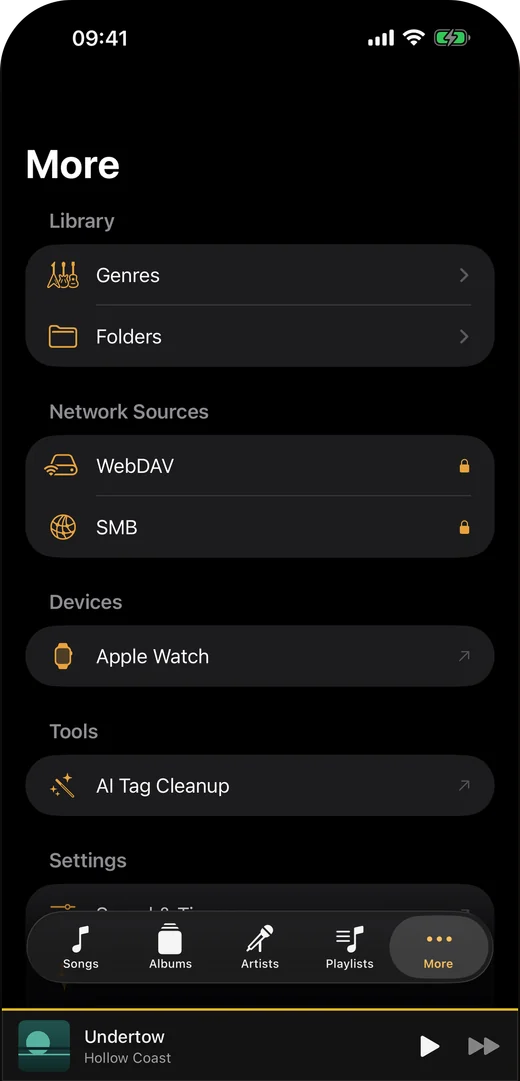
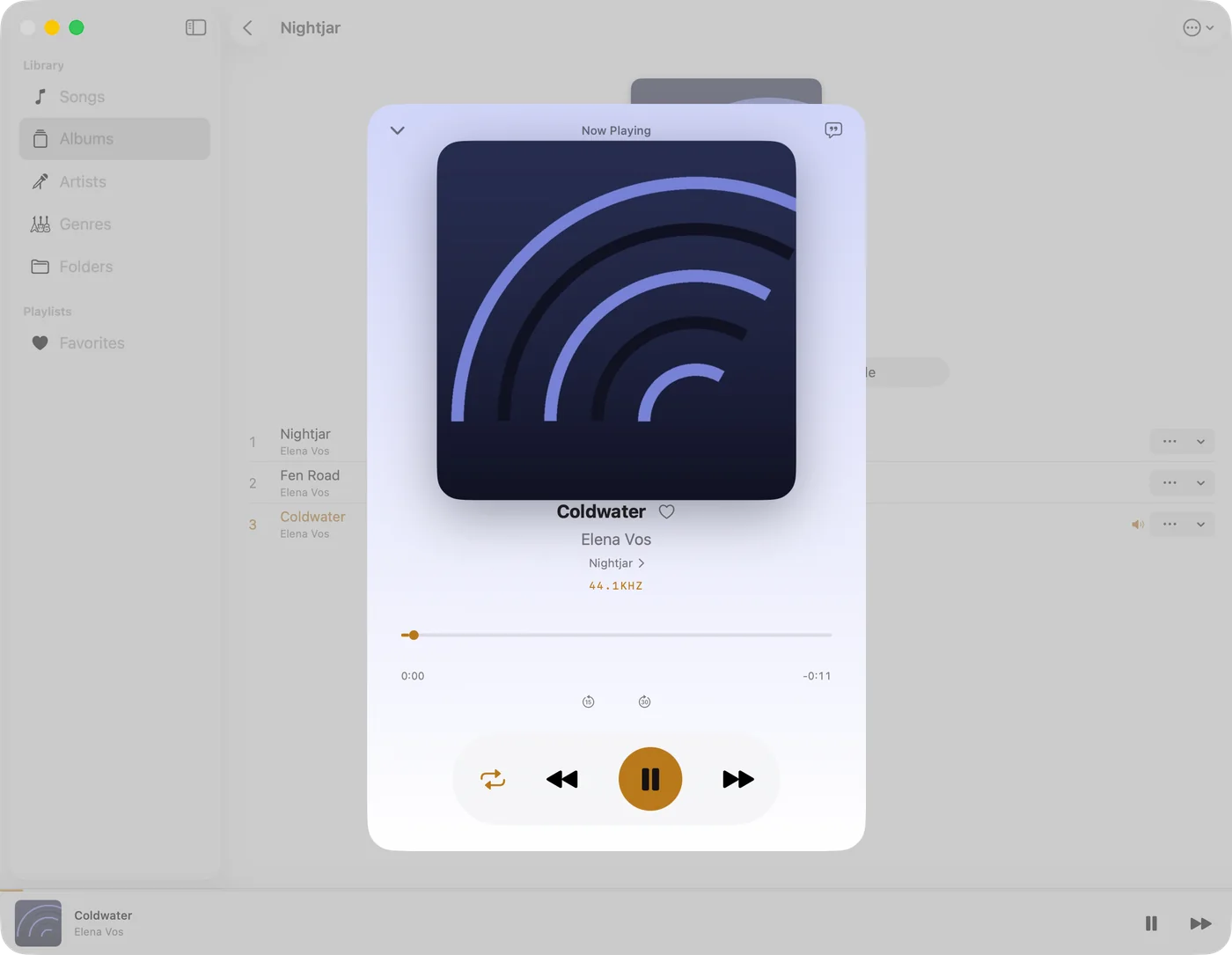
Truly native on Mac, iPhone, iPad and Apple Watch
Built with SwiftUI, not an Electron shell or a stretched web view — one app across the Mac and the iOS family, and the Apple Watch plays offline without your phone.
- Siri shortcuts, background playback and AirPlay on iOS
- CarPlay on iPhone: playlists, albums, artists and songs on the car screen
- On Mac: a menu bar mini player and media key support
- Send songs to your Apple Watch and listen without your iPhonePro
- On Mac: a floating desktop lyrics windowPro
Swinsian alternatives for Mac →foobar2000 alternatives for Mac →
Trove 2.3.1 is now available
A Mac startup crash fix, more reliable SMB connections and two Apple Watch transfer fixes.
Trove 2.3.1 is available on the US iOS and Mac App Stores, checked separately on October 31, 2026. Update from the App Store for the Mac startup fix, improved SMB connections and Apple Watch transfer fixes. Availability can vary by region.
- On Mac: fixes a crash that could prevent Trove 2.3 from opening, including after a fresh installation. Ordinary playback remains available if the optional Sound Style component cannot load.
- On iOS and Mac: improves SMB connection recovery when a server name resolves to multiple network addresses. Network sources still require Trove Pro and a reachable server.
- On iPhone and iPad: fixes a disabled Send button when first opening a playlist’s Apple Watch transfer screen.
- On iPhone and iPad: shows song titles instead of file identifiers in the Apple Watch device inventory.
- On iOS and Mac: adds connection-stage and address-family details to optional SMB troubleshooting diagnostics. Recording stays off by default; reports are sent only when you explicitly submit feedback.
More control over your sound, library and listening
Trove 2.3 adds sound profiles, clearer artist browsing, playlist transfers to Apple Watch and more ways to control playback.
- Shape playback with optional reverb, delay and EQ filters, save complete sound profiles, and compare with the original sound. Measure local track or album loudness on request. These playback controls are separate from the experimental Supporter audio tools.
- Find collaborators from feat., ft., featuring or semicolon credits under their own artist entries, and sort an artist’s albums by year. Read Grouping, Mood and file ratings from Ogg, OGA and Opus during import or re-reading; explicit edits in Trove remain separate.
- SMB M3U imports better handle copied Mac volume paths and files that are readable even when an ancestor folder cannot be listed. Network access still requires Trove Pro, valid server permissions and a working connection.
- Translate lyrics on device on iOS 18 or macOS 15 and later, with supported languages and any required Apple language downloads. Translation is separate from Supporter’s experimental lyric transcription.
- Improved ReplayGain peak protection, playback recovery and highlighting of features you already own.
Available in 2.2 · iOS and macOS
Save your sound, return to your music
Save named equalizer presets with preamp gain, restore your latest Custom curve, and manage, rename or delete saved presets. Opus files and WebDAV libraries also gain improved artwork handling.
The 2.1 player adapts its queue and Sound & Timer controls to the space available on iPhone and iPad, with clearer navigation and preserved lyrics drafts when you visit related screens.
Supporter · experimental bonuses
Work with a copy of your own audio
Supporter includes eight native tools: vocal/accompaniment separation, ringtone file creation, chord/key/beat analysis, practice recording and mixing, audio cleanup, CUE or manual track splitting, lyric transcription and alignment, and melody-to-MIDI export.
These are experimental bonuses, not ordinary Pro features. Results and reliability are not guaranteed. Review generated audio, notes and lyrics before using them; supported editing formats and preparation differ from playback.
- Ringtone creation exports an AAC/M4A copy up to 29.5 seconds; it does not change the system ringtone. Use your iOS version’s setting workflow afterwards.
- Vocal separation produces separate vocal and accompaniment WAV files. CUE or manual splitting produces 24-bit ALAC/M4A copies, not preserved FLAC files or a direct copy of the original encoded stream.
- Native lyric transcription needs a local model download first. Review and correct the words and timing before saving in Trove or exporting Enhanced LRC. Matching supplied lyrics can leave words unresolved.
- Processing is local by default. Optional remote transcription requires your own compatible service and a separate confirmation before a selected clip is sent; provider charges may apply.
Free manual line-by-line LRC maker →Free manual word-by-word LRC maker →Audio processing and privacy →
Cloud sources and four App languages
Trove 2.0: your music, more sources, more languages
Trove 2.0 adds Google Drive and MEGA playback with Trove Pro, plus Spanish, Brazilian Portuguese and French alongside English.
Google Drive and MEGA are available with Trove Pro on iOS and macOS. Check the App Store for availability in your region.
- Google Drive: choose audio explicitly in the Google file picker, keep a saved song list, add more selections and remove songs without deleting the Drive originals. Trove requests drive.file access, not access to browse your entire Drive (Trove Pro).
- MEGA: sign in to your own account, browse folders and play supported audio while it downloads. The next queued song can preload, and complete songs use a separate 1 GiB local cache (Trove Pro).
- Clearer buffering feedback in the mini player and Now Playing view, with local caching for both cloud sources. Some formats still download completely before playback; start time and seeking depend on the file and connection.
- Use the App in English, Spanish, Brazilian Portuguese or French, including shared Watch and widget text. The Wi-Fi upload page also adapts its language. Translations await native-language review.
Available in 1.9 · iOS and macOS
Find music across folders and your NAS library
Version 1.9 introduced local subfolder search, explicit WebDAV folder indexing with Trove Pro, Favorites sorting and free reference-pitch presets. iPhone and iPad also gain visible search entry points and improved audio-interruption recovery.
WebDAV indexing makes remote songs searchable in your library while connected; offline listening still needs explicit downloads. SMB recovery improvements do not remove the need for a working connection and server permissions.
New in 1.6
Smoother playlists, playback and troubleshooting
Version 1.6 was released on iPhone, iPad and Mac from the same App Store listing. These improvements remain included in later releases.
- Import M3U playlists from the iOS file picker again, and remove individual rules from local or remote smart playlists. Smart playlists require Trove Pro.
- Large local hand-built playlists open more responsively by resolving their tracks once per list render instead of repeatedly rebuilding the lookup. This does not cover every playlist type.
- On iPhone and iPad, the bottom Now Playing bar has an AirPlay route shortcut. This new bottom-bar control is not a Mac or Watch feature.
- SMB indexing continues past a permission-denied file and offers retry. Playback-source preparation moves off the main interface; sharing prepares a file when needed. Network permissions and connections can still fail.
- Optional troubleshooting recording is off by default and stays local. You create a package and choose whether to save, share or attach it to feedback; nothing uploads automatically. The separate playback log has its own attachment switch.
These are targeted reliability improvements, not a promise that every NAS setup or large playlist is problem-free. See the app privacy policy and feedback instructions if you need to report a problem.
New in 1.5
Keep the music playing, and send feedback from the app
Version 1.5 introduced these changes on iPhone and iPad. Applicable improvements remain in later downloads, including on Mac.
- Shuffle starts a freshly shuffled round when the current round ends, so playback keeps going.
- Improved SMB browsing and indexing. For remote smart playlists, choose folders to index or use Index Entire Share; let indexing finish before expecting all matches.
- Clearer Wi-Fi transfer progress and import results.
- Send feedback directly over HTTPS, with optional diagnostics and no Mail account. You can also save a feedback package to send yourself.
The Mac-side work from that cycle improves playback recovery and folder access, addresses an audio initialization crash, reduces repeated artwork decoding, and makes the feedback window easier to read and close. It is included in the Mac 1.6 download shown publicly on October 13.
If a problem persists, use Feedback in Trove. In 1.6, the playback log and a user-created troubleshooting package are separate choices.
Also available on iPhone and iPad
More ways to organize a library on your phone
These library tools arrived in iOS 1.4 and are included in the later iOS releases.
- Make playlists from SMB folders or M3U files, including tracks across folders.
- Build smart playlists from the SMB folders you choose to index, or index the entire share in 1.5. SMB playback downloads each track as needed and keeps only a limited temporary prefetch.
- Read Grouping, Mood and file ratings from your music files. Edit Grouping and Mood, set a separate Trove star rating, and use these values in smart playlist rules. Pro can write supported Grouping and Mood changes back to MP3 and FLAC files.
- Browse and clear listening history by date; see how much space on-device music uses.
- Edit an existing SMB connection when its address or password changes.
Network sources and smart playlists require Trove Pro. This update does not add phone control of the Mac app or automatic sharing of a whole Mac library with iPhone and iPad.
Ready to play your own library?
Trove is free on the App Store for Mac, iPhone, iPad and Apple Watch.
Not sure yet? See how it works. Switching from something else? Read the honest comparisons for Swinsian and foobar2000, or the full FAQ.